01 · Problem Solving

Every program is born from a problem. Before touching a keyboard, a skilled programmer walks through a mental process to understand that problem and design a solution. This module teaches that process.
The three states of a problem solver
The doodle captures what happens every time you face a real problem:
- Worried. You see the problem but don't yet know how to approach it.
- Thinking. You break it down, gather information, weigh options.
- Eureka. A candidate solution appears. You're ready to design and test it.
Programming follows the exact same arc. Our job is to make that arc repeatable instead of a happy accident.
What counts as a "problem"
Not every question is a problem worth solving the same way. Two useful distinctions:
Well-defined vs ill-defined
- Well-defined — inputs, goal, and constraints are clear. Calculate the area of a rectangle given width and height.
- Ill-defined — goal is fuzzy, inputs are incomplete, or success is subjective. Make the app feel faster.
Most real problems start ill-defined. Your first job is often turning an ill-defined problem into a well-defined one.
Tractable vs intractable
- Tractable — a reasonable algorithm exists, runs in reasonable time.
- Intractable — known algorithms take unreasonable time or resources as the input grows (traveling salesman on 1000 cities, for example).
For intractable problems we often accept "good enough" solutions (heuristics, approximations) rather than perfect ones.
The four pillars of Computational Thinking
Before the 7-step process, meet the four mental moves a computational thinker uses constantly. You'll apply all four in every step that follows.
 Decomposition

Break a big, scary problem into smaller, manageable pieces.
Organizing a 10-person study group → (a) poll schedules, (b) find overlaps, © pick a space, (d) decide what to study, (e) share materials.
 Pattern recognition
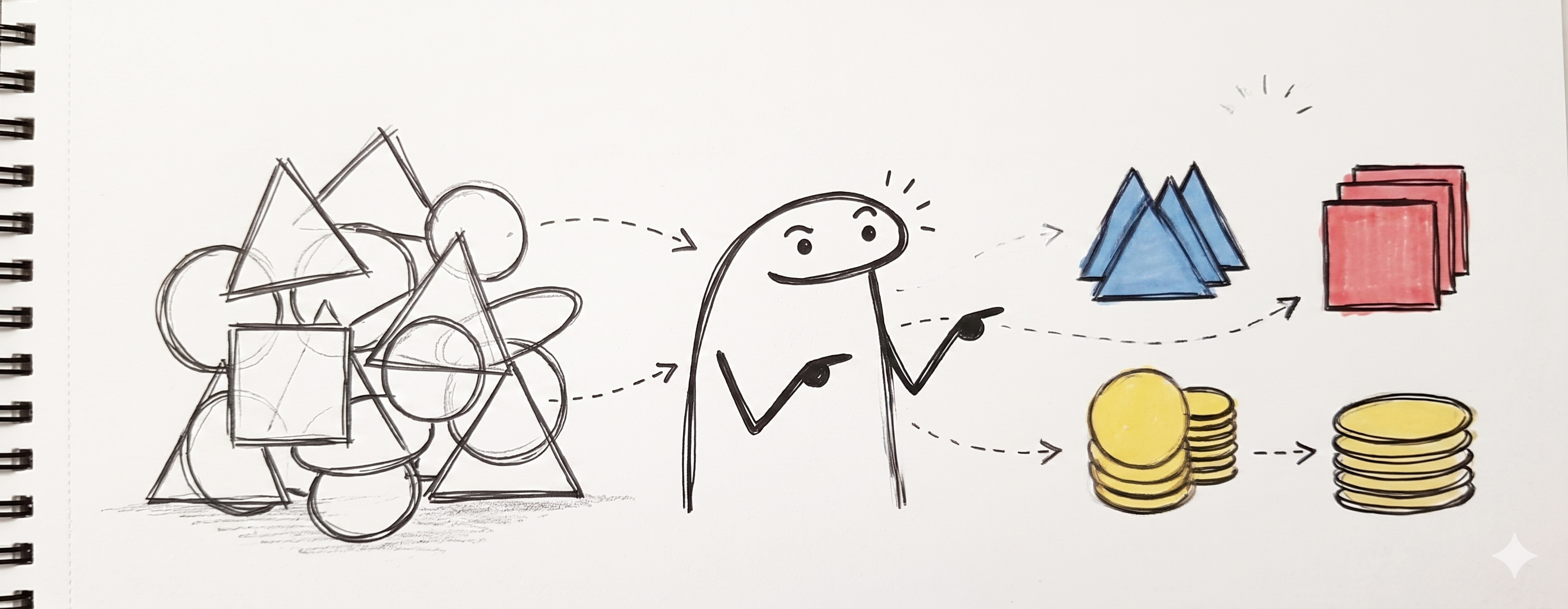
Spot similarities — with past problems, or within the current problem.
Counting vowels in a sentence and counting consonants use the same loop structure; only the condition changes.
 Abstraction

Keep only what matters; ignore the rest.
A bus route app doesn't need to model the bus's paint color or the driver's name — just stops, times, and capacity.
 Algorithmic thinking
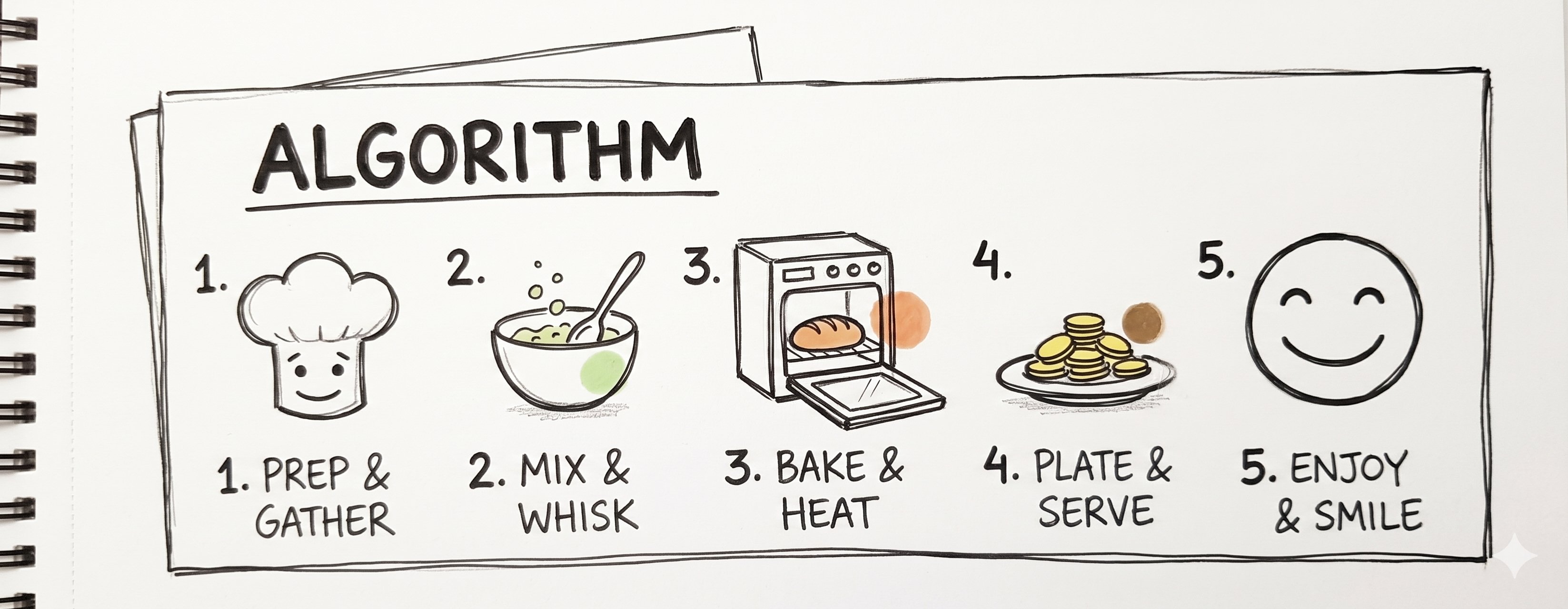
Describe the solution as a clear, repeatable sequence of steps.
A recipe for "find the largest number in a list" works the same whether the list has 5 items or 5 million.
Every problem you solve uses all four pillars, often in cycles. You decompose, spot a pattern, abstract the messy reality away, design an algorithm — and then re-decompose any step that's still too big.
The 7-step problem-solving process
A structured process for turning "I'm stuck" into "here's a solution I can defend".
 1. Identify and define the problem
- State the problem in one sentence. If you can't, you don't understand it yet.
- Break it into smaller, manageable parts (decomposition).
- Find the main cause, not just the symptoms.
- Write down: given what, find what, subject to what constraints.
Anti-pattern: jumping straight to "I'll use Python with a database" before knowing what the program is supposed to do.
 2. Gather information
- Research what's already known. Has someone solved this before?
- Collect representative data (sample inputs and expected outputs).
- Talk to people who've seen this situation — users, colleagues, mentors.
- Check constraints you might have missed: budget, deadline, hardware, legal.
 3. Analyze the problem
- Examine everything you gathered. What's the shape of the problem?
- Look for patterns, constraints, and root causes.
- Identify edge cases — the weird inputs that break naive solutions.
- Use tools when they help: cause-and-effect diagrams, SWOT, 5-Whys.
 4. Develop possible solutions
- Brainstorm several alternatives. First idea is rarely the best.
- Mix creative and structured approaches.
- For each candidate, sketch how it handles the main inputs and edge cases.
- Don't evaluate yet — just generate.
 5. Evaluate possible solutions
- Compare pros and cons.
- Weigh: feasibility, cost, time to build, maintainability, impact on users.
- Consider risks — what breaks if assumption X is wrong?
- Pick the most promising option (not necessarily the shiniest).
 6. Implement the solution
- Plan first, type second. Many programmers rush this step and pay later.
- Assign responsibilities if it's a team effort.
- Define a timeline with milestones.
- In programming, this is where you design the algorithm (next modules: flowcharts and pseudocode).
 7. Monitor and adjust
- Does it actually work — on real inputs, not just the demo?
- Detect errors. Collect user feedback.
- Adjust when needed. Accept that the first solution is rarely the final one.
- Document what you learned for next time.
Worked example — organizing a study group
Let's walk the 7 steps end-to-end on a deliberately non-technical scenario. The same structure applies to software problems.
Step 1 · Identify and define
"Five classmates and I want to study for the final exam together, but our schedules and preferred topics are different. How do we make this work?"
Sentence: "Plan a study session that fits everyone's schedule, covers all exam topics, and leaves people feeling prepared."
Decomposition:
- (a) Everyone's free time.
- (b) Topics to cover.
- © A place to meet.
- (d) Materials (notes, practice problems).
- (e) A way to run the session so people learn, not just sit there.
Step 2 · Gather information
- Poll everyone's schedules for the next 7 days.
- List exam topics from the syllabus.
- Ask what each person feels weakest in (so strong + weak can pair).
- Check available rooms in the library.
Step 3 · Analyze
- Pattern: 3 of the 6 people share Wed + Fri evenings free. The other 3 share Tue + Thu.
- Constraint: the exam is next Monday — only one week to prepare.
- Root cause of "scheduling is hard": we tried to find a single slot for everyone instead of two smaller sessions.
Step 4 · Develop solutions
- One big 6-person session on the only overlap (Sun 6 PM).
- Two smaller sessions (Wed + Thu) covering different topic halves.
- Async study — share notes and meet only on Sunday for Q&A.
- Rotating pairs — each person teaches one topic to one partner.
Step 5 · Evaluate
| Option | Pros | Cons |
|---|---|---|
| 1 · One big session | Everyone together | 2h isn't enough for 6 topics |
| 2 · Two split sessions | More time per topic | Risk of losing material between them |
| 3 · Async + Q&A | Max flexibility | Weakest students need live help |
| 4 · Rotating pairs | Active learning, everyone teaches | Takes more coordination |
Pick option 2 (split sessions) with elements of option 4 (one person leads each topic in the session they attend).
Step 6 · Implement
- Wed 6–9 PM, Library room 3 — topics A, B, C, leaders assigned.
- Thu 6–9 PM, Library room 3 — topics D, E, F, leaders assigned.
- Shared doc for notes, links, past exams.
- Sunday 5 PM — 1h joint review + Q&A.
Step 7 · Monitor and adjust
- Mid-Wednesday: topic B is running long. Cut topic C short, reassign to Sunday Q&A.
- Friday: 2 people felt lost on topic D. Move it to the start of Sunday.
- After the exam: what worked? Write it down for next semester.
Practice scenarios
Run the 7 steps on paper for each. Focus on Steps 1–5; Step 6 gets fleshed out in the next modules.
- Your laptop has suddenly become very slow. Diagnose why.
- A group of 8 friends want dinner at a restaurant, but they have 3 different diets (vegetarian, gluten-free, one nut allergy).
- Your bicycle chain keeps slipping. Fix it.
- You have to pack for a one-week trip with only a carry-on and cold + warm weather at the destination.
- An online form is letting users submit bad phone numbers. Figure out how to stop that.
Common beginner mistakes
- Jumping to solution mode in Step 1. If your first thought is "I'll use a database", stop — you haven't defined the problem yet.
- Skipping Step 2. Research and talking to users takes time but saves huge time later.
- Evaluating while brainstorming. Criticism kills ideas. Generate first, evaluate after.
- Picking the shiniest option. Newest technology ≠ best solution. Boring solutions that work beat exciting solutions that don't.
- No Step 7. Shipping is not finishing. Real problems evolve; solutions need maintenance.
Closing idea
Problem solving is the foundation of everything else in this course. Algorithms, flowcharts, pseudocode, and programming are all just tools for executing the solution you designed here. If the design is wrong, no amount of elegant code will save it.
Next: Module 02 — Flowcharts — the first formal way to draw the solution you just designed.