03 · Pseudocode
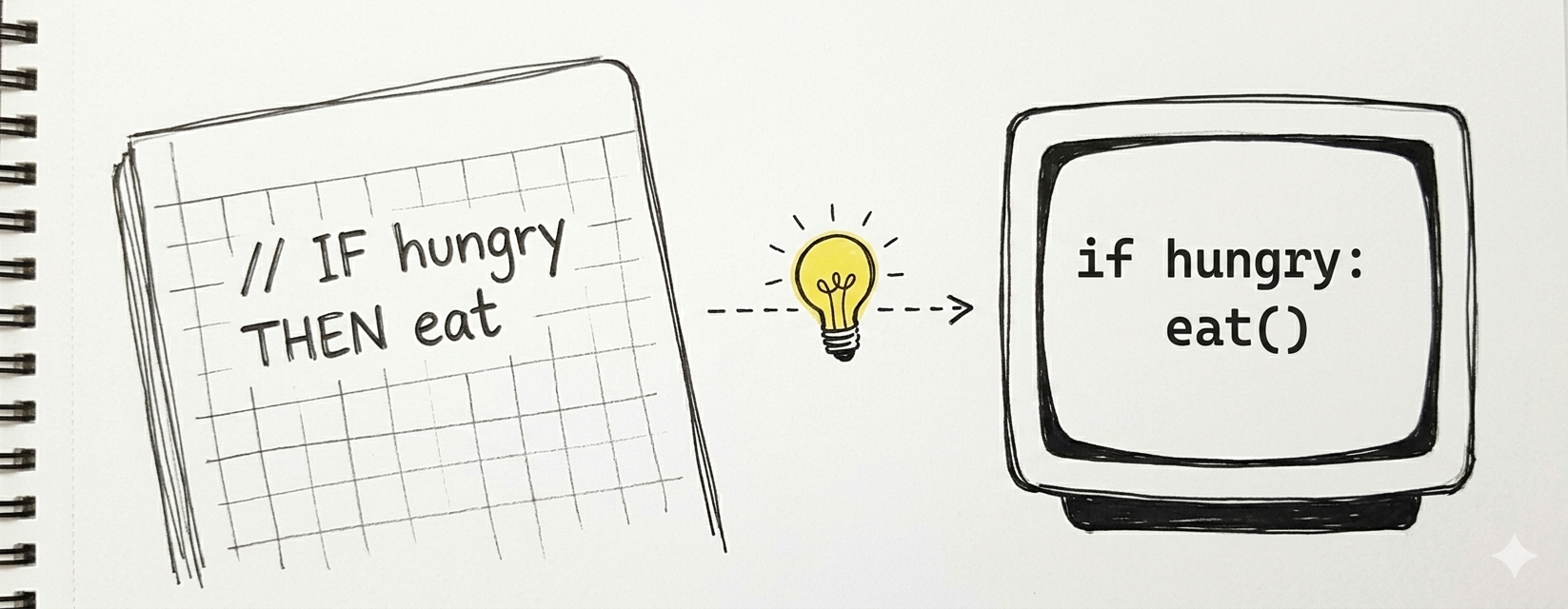
Flowcharts are pictures. Pseudocode is structured text that describes the same logic in a way that reads almost like code — but isn't tied to any real programming language.
Why pseudocode exists
Flowcharts are excellent for seeing the shape of an algorithm. But they get clumsy when logic gets long, and nobody wants to draw a 200-shape diagram for a moderate-size program.
Pseudocode fills the gap:
- Lets you focus on logic before syntax.
- Describes algorithms in a clean, readable format that reviewers can scan quickly.
- Lets teams discuss solutions without picking a programming language yet.
- Catches mistakes before you commit to real code.
Pseudocode is not a programming language. No computer runs it directly. Its only job is to be unambiguous to humans.
Conventions used in this course
Every course has its own pseudocode dialect. Ours is simple and bilingual-friendly. English and Spanish keyword equivalents are both shown — pick a language and stick with it within a single algorithm.
Structure
- One instruction per line.
- Indent the body of an
IF,WHILE,FOR, orFUNCTIONby 2 or 4 spaces. - Close every block with an
END …line matching the opener. - Variables live in lowercase;
CONSTANTS_IN_ALL_CAPS.
Core vocabulary
| English | Español | Meaning |
|---|---|---|
START / END |
INICIO / FIN |
Program boundaries |
READ x |
LEER x |
Get input from the user, store in x |
WRITE x |
ESCRIBIR x |
Display x |
x = expression |
x = expresión |
Assignment |
IF condition THEN ... END IF |
SI condición ENTONCES ... FIN SI |
Decision |
IF ... ELSE ... END IF |
SI ... SINO ... FIN SI |
Decision with alternative |
WHILE condition DO ... END WHILE |
MIENTRAS condición HACER ... FIN MIENTRAS |
Loop |
FOR i = a TO b DO ... END FOR |
PARA i = a HASTA b HACER ... FIN PARA |
Counter loop |
FUNCTION name(params) ... RETURN x END FUNCTION |
FUNCION nombre(params) ... RETORNAR x FIN FUNCION |
Named sub-algorithm |
Operators
- Arithmetic:
+,-,*,/,mod(remainder). - Comparison:
=,!=,<,<=,>,>=. - Logical:
AND,OR,NOT.
Example 1 — Sum of two numbers
Side-by-side with the flowchart from Module 02.
flowchart TD
    Start([Start]) --> In[/Read a/]
    In --> In2[/Read b/]
    In2 --> Calc[sum = a + b]
    Calc --> Out[/Write sum/]
Out --> End([End])Correspondence:
START/ENDpills →START/ENDkeywords.- Parallelograms →
READ/WRITE. - Rectangle → assignment line.
Example 2 — Even or odd
flowchart TD
    Start([Start]) --> In[/Read n/]
    In --> D{n mod 2 = 0?}
    D -- Yes --> Even[/Write "even"/]
    D -- No --> Odd[/Write "odd"/]
    Even --> End([End])
Odd --> EndCorrespondence:
- Diamond →
IF ... ELSE ... END IF. - Yes branch → body of
IF. - No branch → body of
ELSE.
Example 3 — Largest of three numbers
START
  READ a, b, c
  IF a >= b AND a >= c THEN
    WRITE a
  ELSE
    IF b >= c THEN
      WRITE b
    ELSE
      WRITE c
    END IF
  END IF
END
Note — we used AND to collapse two nested decisions into one, which is clearer when the logic allows it.
Example 4 — Print numbers from 1 to N
Two ways of writing the same loop: WHILE (general) and FOR (counter).
WHILE version
FOR version (more compact)
Rule of thumb: use FOR when you know the exact number of iterations up front; use WHILE when the loop ends on a condition (user input, data found, timeout).
Example 5 — Login with 3 attempts
START
  attempts = 0
  logged_in = false
  WHILE attempts < 3 AND logged_in = false DO
    READ password
    IF password = "secret123" THEN
      WRITE "Welcome"
      logged_in = true
    ELSE
      WRITE "Wrong password"
      attempts = attempts + 1
    END IF
  END WHILE
  IF logged_in = false THEN
    WRITE "Account locked"
  END IF
END
Two loop-exit conditions in one WHILE: hit the attempt limit OR successfully logged in. Compound conditions keep pseudocode tight.
Example 6 — Average of N numbers (with function)
When an algorithm grows, extract reusable pieces into functions.
FUNCTION average(sum, count)
  IF count > 0 THEN
    RETURN sum / count
  ELSE
    RETURN 0
  END IF
END FUNCTION

START
  READ N
  sum = 0
  FOR i = 1 TO N DO
    READ x
    sum = sum + x
  END FOR
  result = average(sum, N)
  IF N > 0 THEN
    WRITE result
  ELSE
    WRITE "N must be positive"
  END IF
END
Why extract average?
- Describes intent (computing an average), not mechanism (a division).
- Can be reused elsewhere in a bigger program.
- Lets the main program read as a high-level narrative.
Shape → keyword cheat sheet
| Flowchart shape | Pseudocode construct |
|---|---|
| Oval (Start/End) | START / END |
| Rectangle (process) | assignment or procedure call |
| Parallelogram (I/O) | READ / WRITE |
| Diamond (decision) | IF ... END IF or IF ... ELSE ... END IF |
| Diamond used for loops | WHILE ... END WHILE |
| Counter loop | FOR i = a TO b DO ... END FOR |
| Sub-routine box | FUNCTION ... END FUNCTION / CALL fn(args) |
Learn one representation well; the other becomes easy.
Common mistakes
- Mixing pseudocode with real syntax.
x++is C / Java; usex = x + 1. Pseudocode stays language-agnostic. - Missing
ENDlines. EveryIF/WHILE/FOR/FUNCTIONneeds its closer. Otherwise the structure is ambiguous. - No indentation. Indentation is how a reader sees the scope of a block. Without it, nested logic becomes a puzzle.
- Undefined variables. Any variable you read or test must have been initialized first.
- Off-by-one errors in loops.
FOR i = 1 TO Nruns N times (inclusive).FOR i = 0 TO Nruns N+1 times. Pick and be consistent. - Vague conditions.
IF data is bad— what does "bad" mean?IF x < 0 OR x > 100is unambiguous. - Implementation details leaking in. "Allocate a
HashMap<String, Integer>" belongs in real code, not pseudocode. Say "a mapping from name to count".
Practice problems
Write pseudocode for each. Then (bonus) draw the matching flowchart.
- Read a number; print whether it's positive, negative, or zero.
- Convert Fahrenheit to Celsius.
- Read 10 numbers and print the largest.
- Read numbers until -1 is entered. Print the sum and the count.
- Check if a word is a palindrome (reads the same forward and backward).
- Count vowels in a sentence.
- Tax calculation: given income, apply 10% tax up to 10,000; 15% on the portion from 10,001 to 30,000; 25% above 30,000.
- A multiplication practice game: ask 5 random questions, count correct answers, display the score.
- Fibonacci: print the first N Fibonacci numbers.
- Linear search: find whether a value appears in a list of N numbers.
Closing idea
Pseudocode is the last stop before real code. By the time you're writing it, the problem should already be understood (Module 01), the shape of the solution drawn (Module 02), and the logic tight. Translating good pseudocode to a programming language is the easy part; getting to good pseudocode is where the real work is.
Next: Module 04 — Programming Foundations — what programming actually is and what the computer is doing underneath.